




GANDAK HERITAGE ROUTE
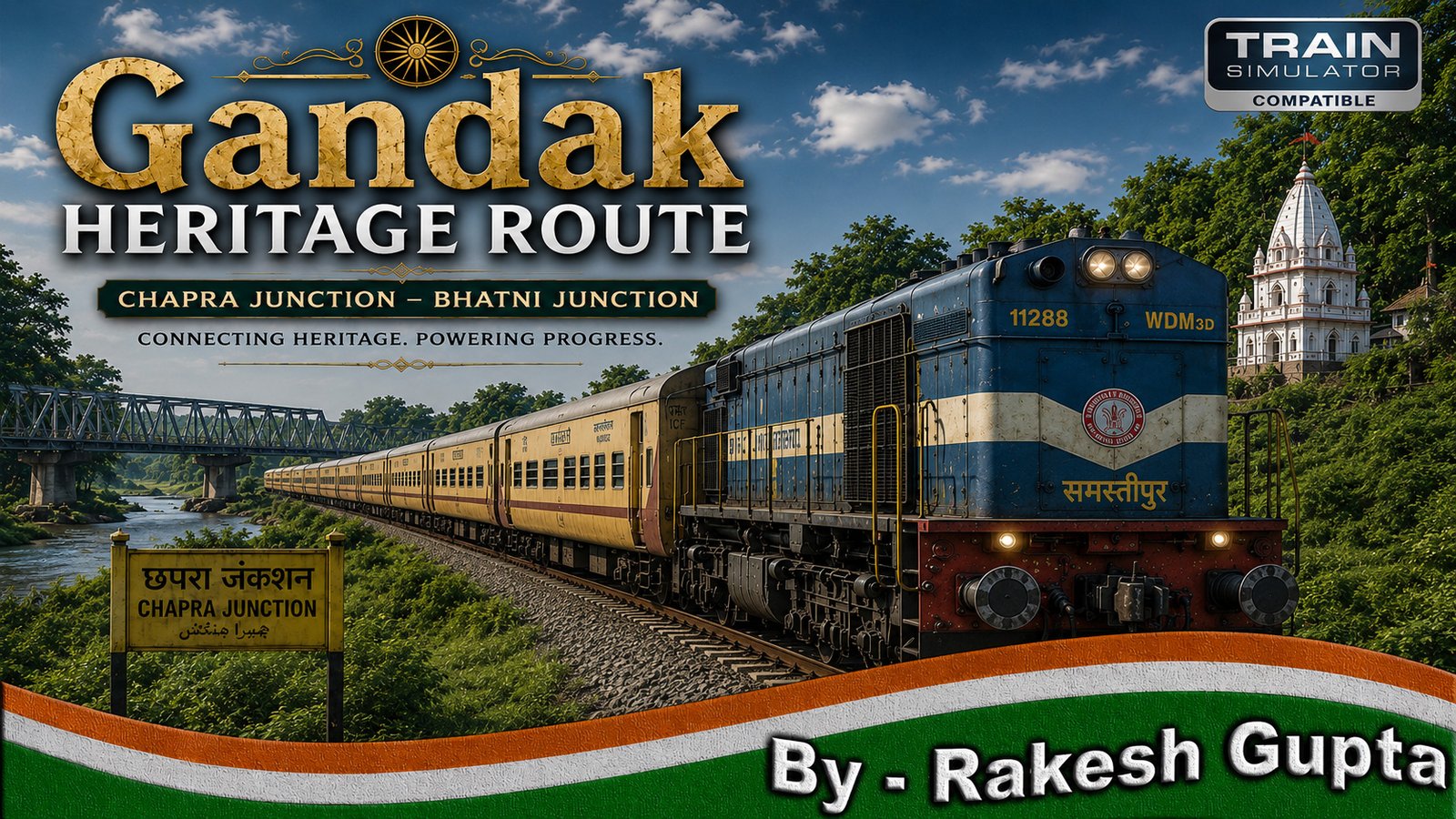
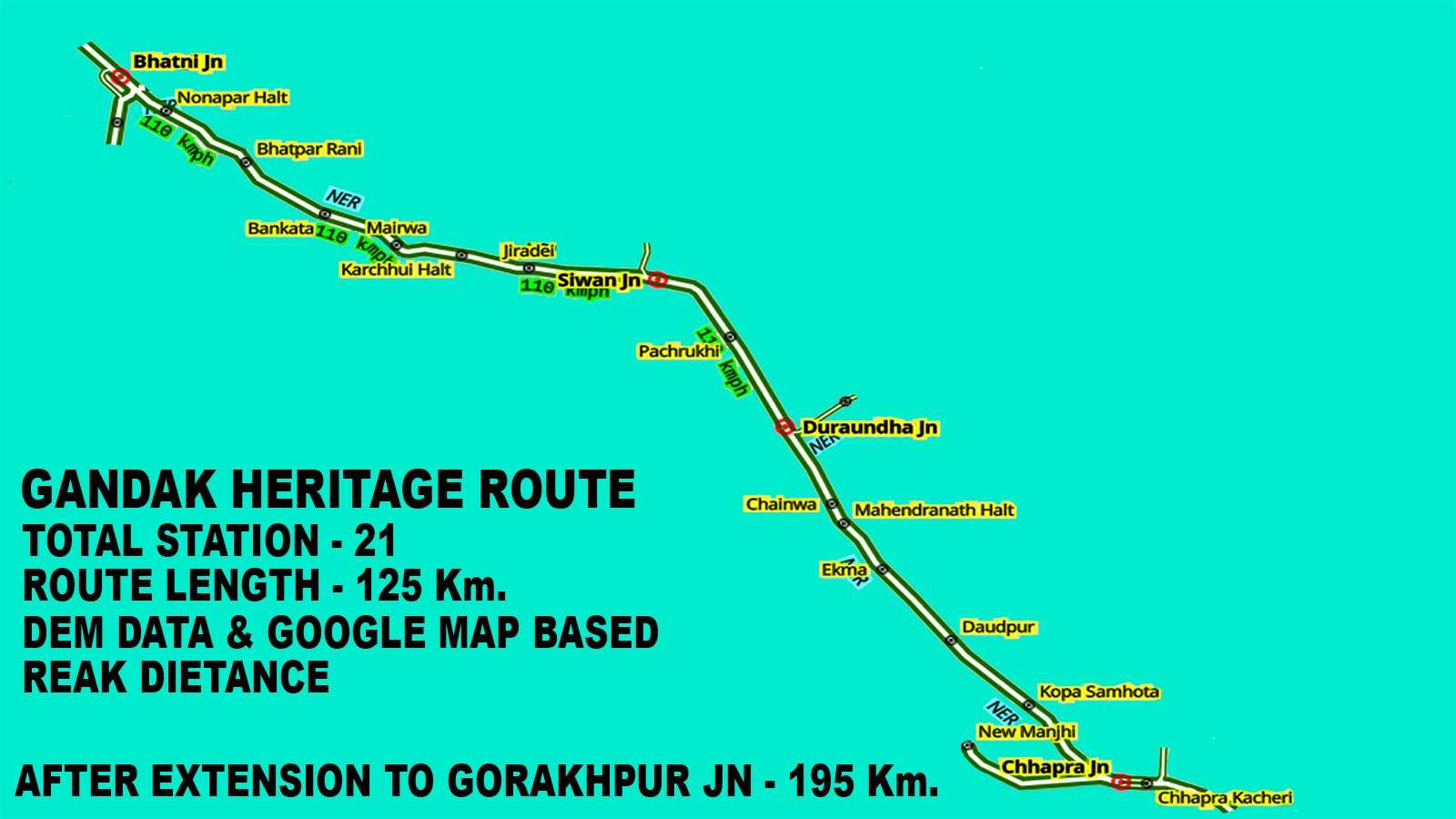
🚉 GANDAK HERITAGE ROUTE is an expansive route in RailWorks, stretching from Bhatni Junction to Chhapra Junction, covering key stations like ,Siwan Junction. This 125-kilometer journey will be released

Premium Indian Route for Train Simulator (RailWorks)
125+ KM • 21+ Stations • DEM Terrain • High FPS • Indian Signalling
GANDAK HERITAGE ROUTE is a premium-quality Indian Route for Train Simulator (RailWorks),
designed with high realism, DEM-based terrain, and beautifully detailed environments.
This route delivers an immersive driving experience featuring authentic Indian stations,
multiple junctions, realistic curves, yards, villages, forests, farmland, and river sections.
Perfect for Indian RailFans, Train Simulator players, long-distance driving lovers,
and Scenario Creators looking for a stable, visually rich route.
Key Features:
• Route Length: 125+ KM After extension to Gorakhpur Jn. Final Route Length – 195+ Km
• Total Stations: 21+ Fully Detailed Stations
• DEM-Based Terrain (real-world elevation & landscape)
• Authentic Indian Signalling System (Automatic + Absolute)
• High FPS Optimization (Low-End Friendly)
• Ultra-Smooth Track Curves & Gradients
• Detailed Yards, Villages & Farmland Sections
• River Bridges & Forest Areas
• Full Day–Night Lighting Support
• Scenario Creator Friendly
• Quick Drive Compatible
🚉 Major Stations Included:
• Chhapra Gramin Junction
• Chhapra Gramin
• Siwan Junction
• Bhatni Junction
• Gorakhpur Junction (after extainsion)
⚡ Performance & FPS
• Average FPS: 25–45 (System dependent)
• Optimized for smooth gameplay
• Low stutter
• Fast loading time
• Tested on low-end & high-end PCs
This route is built with performance in mind to ensure stability even during long runs.
💻 System Requirements
Minimum:
• CPU: Intel i5 4th Gen / AMD Ryzen 3 Series
• RAM: 8GB
• GPU: NVIDIA GTX 750 Ti / GTX 950 / AMD 2GB GPU
• Storage: SSD Recommended (HDD may cause stutters)
• OS: Windows 10 / 11 (64-bit)
• DirectX: Version 11
Recommended:
• CPU: AMD Ryzen 5 5600X / Ryzen 5 7600X
• Motherboard: MSI PRO B650M-P or equivalent
• GPU: NVIDIA GeForce GTX 1660 Ti (6GB) or higher
• RAM: 16GB – 32GB DDR4
• Storage: WD NVMe M.2 SSD (1TB preferred)
• OS: Windows 11 (64-bit)
• DirectX: Version 11 or higher
ULTRA / HIGH-END SYSTEM (For Best Performance):
• CPU: AMD Ryzen 7 / Intel i7 (Latest Generation)
• GPU: NVIDIA RTX 3060 / 4060 or higher
• RAM: 32GB
• Storage: NVMe SSD (Gen 3/4)
• Monitor: 1080p / 1440p High Refresh Rate Display
📦 Required Dependencies:
1. Tracks, Sign Boards & Advance OHE
3. Any one Route from CR_V1, WCR_V1, WCR_V2, TGC
🚂 ✨ INSTALLATION GUIDE (Icon-Based Professional Format)
- 🛒 Buy the product directly from the HR Game World website.
- Download the HR Game World Client App from the website.
- Run the Installer and complete the installation on your system.
- Launch the Client App after installation.
- 🔑 Go to the HR Game World website → Login →
- Generate your App Login Key from your account dashboard.
- ✉ Enter your registered email ID
- 🔐 Enter the App Login Key
- ➡ Then click on Online
- 📂 On the right-bottom side of the Client App, open: RE-SETUP RAILWORKS DIRECTORY Select the correct RailWorks folder path.
- ⭐ All your purchased products will appear under Premium Addons List.
- ☑ Tick the checkbox of the product you want to install.
- ⬆ Click the Install button and Wait until the installation completes.
- 🌐 Make sure your internet connection remains active during the entire installation process.
- The download and installation speed depends on:
- Your system performance
- Your internet speed. for more information with full details please CLICK Here
Vendor Information
- No ratings found yet!
Only logged in customers who have purchased this product may leave a review.



Reviews
Clear filtersThere are no reviews yet.